

Overview
With OAuth2, scopes are set in the authorization URL and determine what API endpoints your application can access. All authenticated endpoints, exceptGET /user, require a specific scope.
With OAuth2, scopes should be considered as grants—users can select which scopes they allow for your application. To see which scopes a user has granted, use the GET /user/auth endpoint.
Naming pattern
Scopes follow the patternservice:resource:action. The main services are wallet and data.
Account access
In addition to scopes, Coinbase App applications can request different levels of access to user’s wallets. This access is defined by a dropdown selection on the consent page when the user connects to your app.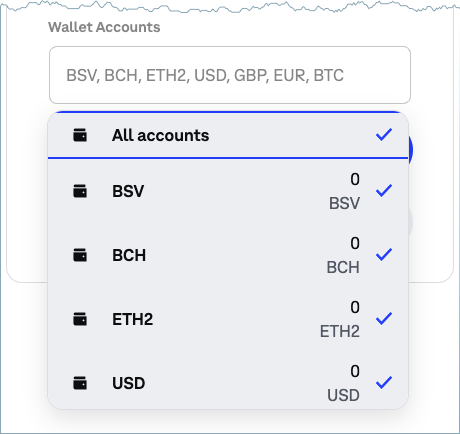
Specifying scopes
Scopes are specified by including ascope parameter in your OAuth2 authorization request. Multiple scopes should be separated with a comma:
Supported scopes
Below are listed all the available scopes for both Coinbase App application and API keys. For more information to understand which permission is required for a specific API action/endpoint, follow ourAPI reference which includes Permissions section under each endpoint.
See the Simple Retail Watchlist API for
the endpoint contract.