> ## Documentation Index
> Fetch the complete documentation index at: https://docs.cdp.coinbase.com/llms.txt
> Use this file to discover all available pages before exploring further.
# Sandbox: Accounts
> List and view account details via API
## Overview
Accounts are containers that hold assets and can be used for transacting. In Sandbox, create accounts through the Portal UI.
Sandbox accounts are isolated from Live and do not require linking to any external Coinbase accounts.
## Prerequisites
The following instructions use `cdpcurl` and a Sandbox API key.
Install [cdpcurl](https://github.com/coinbase/cdpcurl#homebrew) to begin.
## 1. List accounts
See all your Sandbox accounts:
```bash theme={null}
cdpcurl -k $CDP_API_KEY \
'https://sandbox.cdp.coinbase.com/platform/v2/accounts'
```
```json theme={null}
{
"accounts": [
{
"accountId": "account_db458f63-418a-4a91-a045-fab93ac35c3f",
"name": "My Test Account",
"createdAt": "2026-02-11T20:00:00Z",
"updatedAt": "2026-02-11T20:00:00Z"
}
]
}
```
To get just your account IDs:
```bash theme={null}
cdpcurl -k $CDP_API_KEY \
'https://sandbox.cdp.coinbase.com/platform/v2/accounts' | sed '1d' | jq -r '.accounts[].accountId'
```
## 2. Get account details
View detailed account information including balances:
```bash theme={null}
cdpcurl -k $CDP_API_KEY \
'https://sandbox.cdp.coinbase.com/platform/v2/accounts/YOUR_ACCOUNT_ID'
```
```json theme={null}
{
"accountId": "account_db458f63-418a-4a91-a045-fab93ac35c3f",
"name": "My Test Account",
"balances": [
{
"asset": "usd",
"amount": "1000.00"
},
{
"asset": "usdc",
"amount": "500.00"
}
],
"createdAt": "2026-02-11T20:00:00Z",
"updatedAt": "2026-02-11T23:00:00Z"
}
```
## Using Portal UI
You can create, manage, and fund accounts through the Portal UI:
Navigate to [Portal Accounts](https://portal.cdp.coinbase.com/v2/sandbox) in Sandbox
Name the account (e.g., "My Test Account")
Add a balance to your account. Currently we support USD, USDC, USDT (e.g., set USD to \$1000)
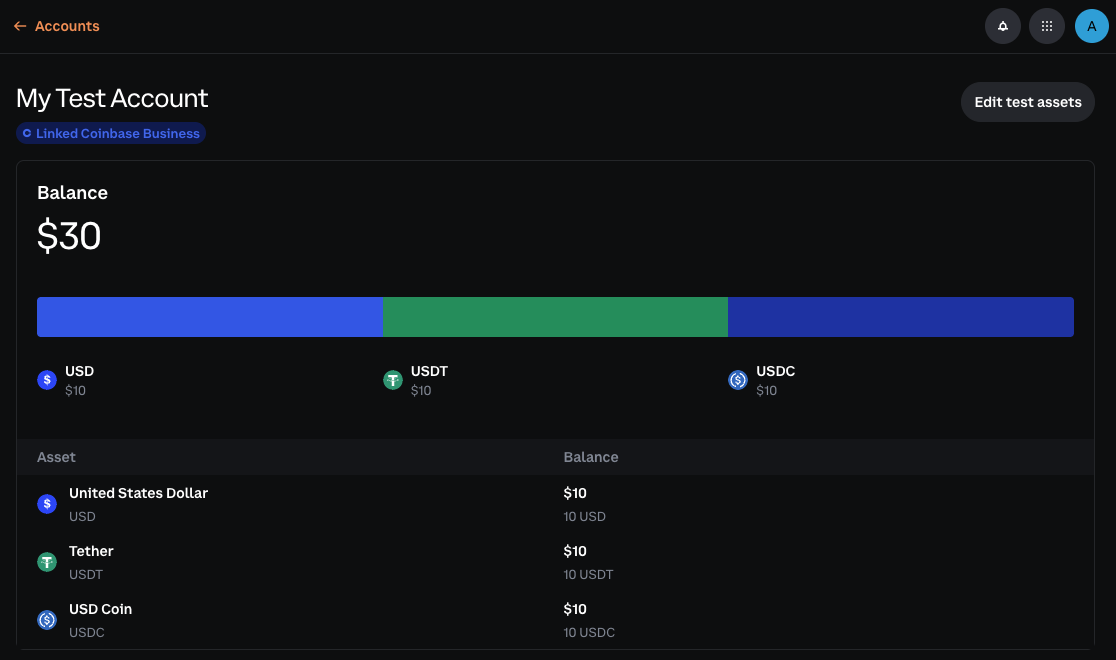 Account funding is **only available** through the Portal UI. All balances are simulated within the Sandbox environment.
## What to read next
API reference for listing accounts
API reference for getting account details
Account funding is **only available** through the Portal UI. All balances are simulated within the Sandbox environment.
## What to read next
API reference for listing accounts
API reference for getting account details