

Authentication
Our REST APIs use JWT tokens for authentication. Find more information on generating a JWT token in the language of your choice here.Making an API request
- Click through any API in the reference here to learn more about its parameters and usage.
-
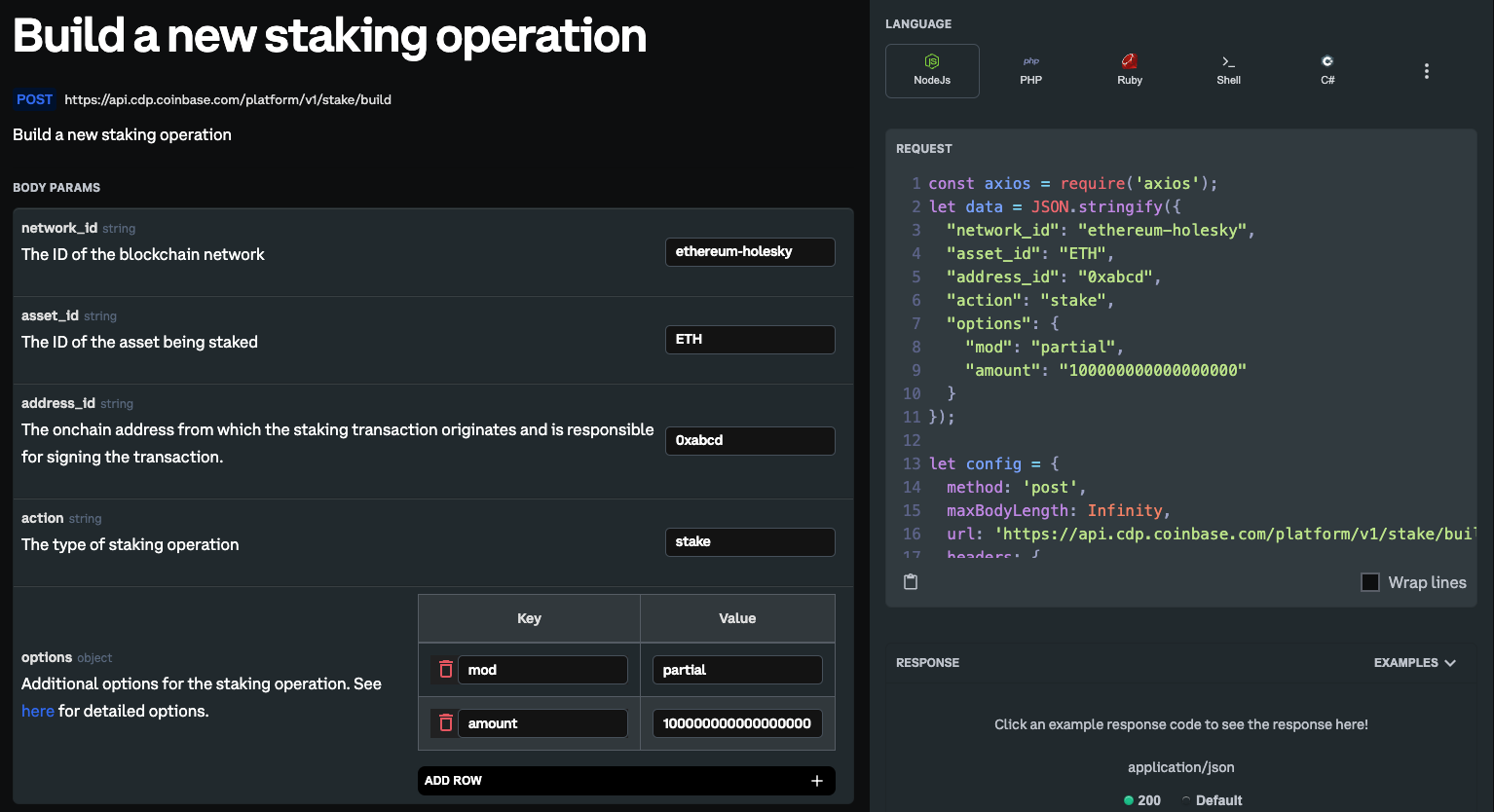
Fill in the parameters. For APIs like BuildStakingOperation and GetStakingContext that require custom options, refer to the staking options section below for available options.
-
Select your preferred language on the right to generate a sample request code. Use this as a reference to make a staking API request.
For example, for the
BuildStakingOperationAPI, the generated code for a Partial ETH stake of0.1 ETHwill look like this in some of the common languages: -
Finally, add the JWT token, obtained from the authentication section above, as a Bearer header in your request.
The code will look like this:
Staking Options
Some staking APIs such as BuildStakingOperation and GetStakingContext require additional options to be passed in the request body specific to the staking network. See below to find the options available for each staking network. Once you have identified which options you need, you can add them to the request body under theoptions field like so:
Shared ETH Staking
Shared ETH staking supports the followingBuildStakingOperation actions: stake, unstake and claim_stake.
See the tabs below for details on the options that can be used with each one.
- Stake
- Unstake
- Claim Stake
- Get Staking Context
Dedicated ETH Staking
Dedicated ETH staking supports the followingBuildStakingOperation actions: stake and unstake.
See the tabs below for details on the options that can be used with each one.
- Stake
- Unstake
- Consolidate
- Get Staking Context
SOL Staking
SOL staking supports the followingBuildStakingOperation actions: stake, unstake and claim_stake.
See the tabs below for details on the options that can be used with each one.
- Stake
- Unstake